Get Paid for Automation, workshop 08, with Johnathan Lightfoot
Deliver like a professional
Run an automation project so the client always knows where it stands: a workflow that was tested before they saw it, updates that arrive before they have to ask, and a handover their team can actually use. In three hours you also take one of your own projects through that process and leave with the checklist, test plan and handover pack you used.
- When
- Saturday 30 January11:30 AM in Accra
12:30 PM in Lagos - Registration closes
- Saturday 23 January, 11:30 AM in Accra
- Length
- 3 hours, live online
- Fee
- GHS 350MoMo or card, through Paystack
- Places
- 30 people
- For
- Automation practitioners who deliver projects to clients and want the handover to hold up after they step away
Why this workshop
The build is rarely what the client remembers. They remember the week they had to ask where things stood, the afternoon it failed in front of their staff, and the handover document nobody could follow. None of that is a technical problem, and all of it is avoidable.
Untested workflows fail in front of the people who commissioned them. A form that works on your machine and drops attachments on a slow connection, a step that runs fine until a field comes in empty, an error nobody notices because nobody is watching the run history. The client finds these, not you, and the conversation afterwards is about trust rather than the build.
Handover is where projects quietly end. If the client's team cannot run, restart and adjust the workflow without calling you, you are the only person who can keep it alive, and that is not a service business, it is a support queue. Documentation, a walkthrough and a defined support period turn a finished build into something the client owns.
What you will be able to do
- Set up a project so access, environments and naming are clear from the first day.
- Write and run test cases that catch the failures a client would otherwise find.
- Build in error handling, logging and alerts so a broken run reaches you before it reaches the client.
- Report progress on a schedule, including when something is running late.
- Document a workflow so someone who has never seen it can run it without you.
- Run a handover session that leaves the client's team able to operate the automation themselves.
- Set a support period, say what it covers and what happens when it ends.
What you leave with
- A delivery checklist covering setup, testing, updates, documentation and handover, from kickoff to close.
- A test plan template with the cases to run before a client sees a workflow, including the empty, duplicate and slow-connection cases.
- A handover pack: workflow documentation, a short runbook for the client's team and an agenda for the walkthrough session.
- A support outline that sets out what the support period covers, how the client reaches you and what happens when it ends.
- One of your own projects taken through the checklist in the clinic, with the gaps marked and a plan to close them.
The 3 hours
- 0:00Where delivery goes wrongIntroduction, and the delivery failures participants bring with them
- 0:15Setting the project upAccess, environments, naming, and a record of decisions from day one
- 0:45Testing before the client doesTest cases, empty and duplicate data, slow connections, error handling and logs
- 1:20Break15 minutes
- 1:35Client updates while you buildWhat to send, how often, and how to raise a problem early
- 2:00Handover the client can useDocumentation, the walkthrough session, and the support period
- 2:30Delivery clinicTake one of your own projects through the checklist, test it against the group, then questions
Is this for you
Good fit
You already build and deliver automations for clients, in n8n, Make, Zapier, Microsoft Power Automate or Power Apps, or with code. You have handed something over and then spent weeks answering questions about it, or heard about a failure from the client instead of your own logs. Freelancers, independent consultants and small automation service providers working without a delivery team behind them fit best.
Not a fit
You have not built and delivered a working automation for someone else yet. This is not an introductory building class, and it is not a project management course either: we cover the delivery habits that apply to a single automation project, not scheduling tools or running a team. And if you want a promise of repeat clients or income, no honest workshop can make one.
Bring: A laptop, and one automation project you have delivered or are delivering now, with whatever documentation and test notes you have for it. If you have a handover document or a client update you have sent before, bring that too.
Who teaches it
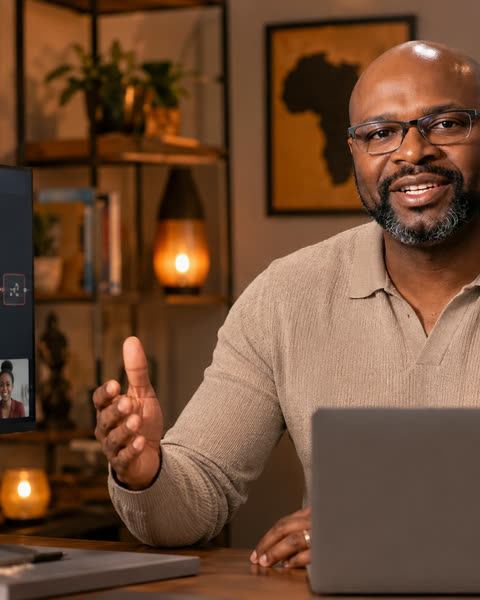
Founder of Bulletproof Automations. Three decades in systems integration and technology leadership as a CTO and CIO, and a former U.S. Navy Operations Specialist.
Questions
Am I ready for this?
If you have built and delivered at least one automation for a client, or you are part-way through your first paid project, yes. The workshop does not teach building. It assumes you can do the work and covers how you run, test and hand it over.
Does it matter which automation platform I use?
No. The examples draw on n8n, Make, Zapier, Microsoft Power Automate and Power Apps, custom integrations and AI automation, but a test plan, a client update and a handover look the same whichever tool does the work.
Are the examples relevant to Ghana?
Yes. The worked examples and the clinic project come from the kind of work Ghanaian small businesses and service providers commission, with local realities like power, internet and paying for tools written into the assumptions.
Is this a certification?
No. It is a training workshop. It does not award, and does not count towards, any Bulletproof Automations certification.
Do I have to take the whole series?
No. Each workshop in Get Paid for Automation stands alone. Take the ones you need, in any order.
How do I pay?
Register on this page and pay at the secure checkout by mobile money or card. Your place is confirmed when the payment is confirmed, and your confirmation email follows. Any lower price you qualify for is shown on this page.
How do I join?
Live online, by invitation. When you register, give us the Google account you will join with. Once your payment is confirmed, we add that account to the workshop's calendar invitation and the joining details reach you by email. Join signed in to that account, from a laptop if you can.
Part of Get Paid for Automation
Each workshop stands alone. You do not need to take the whole series, or take the workshops in order.
- 01Sat 12 Dec
You know automation. Do you know what to charge?
Cost a project, choose a pricing approach and write a quotation you can explain to a client.
- 02Sat 19 Dec
Who should you sell to?
Define who to sell automation services to, and who to avoid.
- 03Sat 26 Dec
Where are the clients?
Find where your ideal clients are and get meetings with them.
- 04Sat 2 Jan
Discover what clients need
Turn client frustrations into defined automation problems worth paying for.
- 05Sat 9 Jan
Scope it before you quote it
Turn a vague request into a written scope both sides can agree to before work starts.
- 06Sat 16 Jan
Write proposals that win
Write proposals that show you understood the problem and make the next step easy.
- 07Sat 23 Jan
Close the deal
Discuss fees, answer objections, and follow up so proposals get signed.
- 08Sat 30 Jan
Deliver like a professional
Test it, keep the client informed and hand it over so their team can run it without you.
- 09Sat 6 Feb
Turn projects into recurring income
Offer paid support after handover so maintenance work is covered by an agreement.
- 10Sat 13 Feb
Win international clients
Present and price automation services for overseas clients, across currencies and time zones.
Get Paid for Automation is organized and presented solely by Bulletproof Automations, an independent training provider. n8n, Make, Zapier, Microsoft Power Automate and Power Apps are named only to describe the tools participants use; none of their owners sponsors, endorses or is affiliated with this series. The workshops teach business skills and do not guarantee clients, contracts or income.
Attending a webinar or workshop is training. It is not a certification and does not count towards one.